

Your volunteering programs are always evolving, and the details of an event can change right up until the day it happens. Maybe you need to update a meeting link for an online volunteering event, or you've opened spots up to a bigger group, or the event description is missing some important context. Until now, that meant reaching out to the Purposely team and waiting. Not anymore.
Today, we're introducing Event Editing, a new way for Purposely Admins to request changes to their event pages directly from the dashboard. Please note that, while users have always been able to edit the event pages that they've created, this feature applies only to events scheduled and created by the Purposely team.
What Can You Edit?
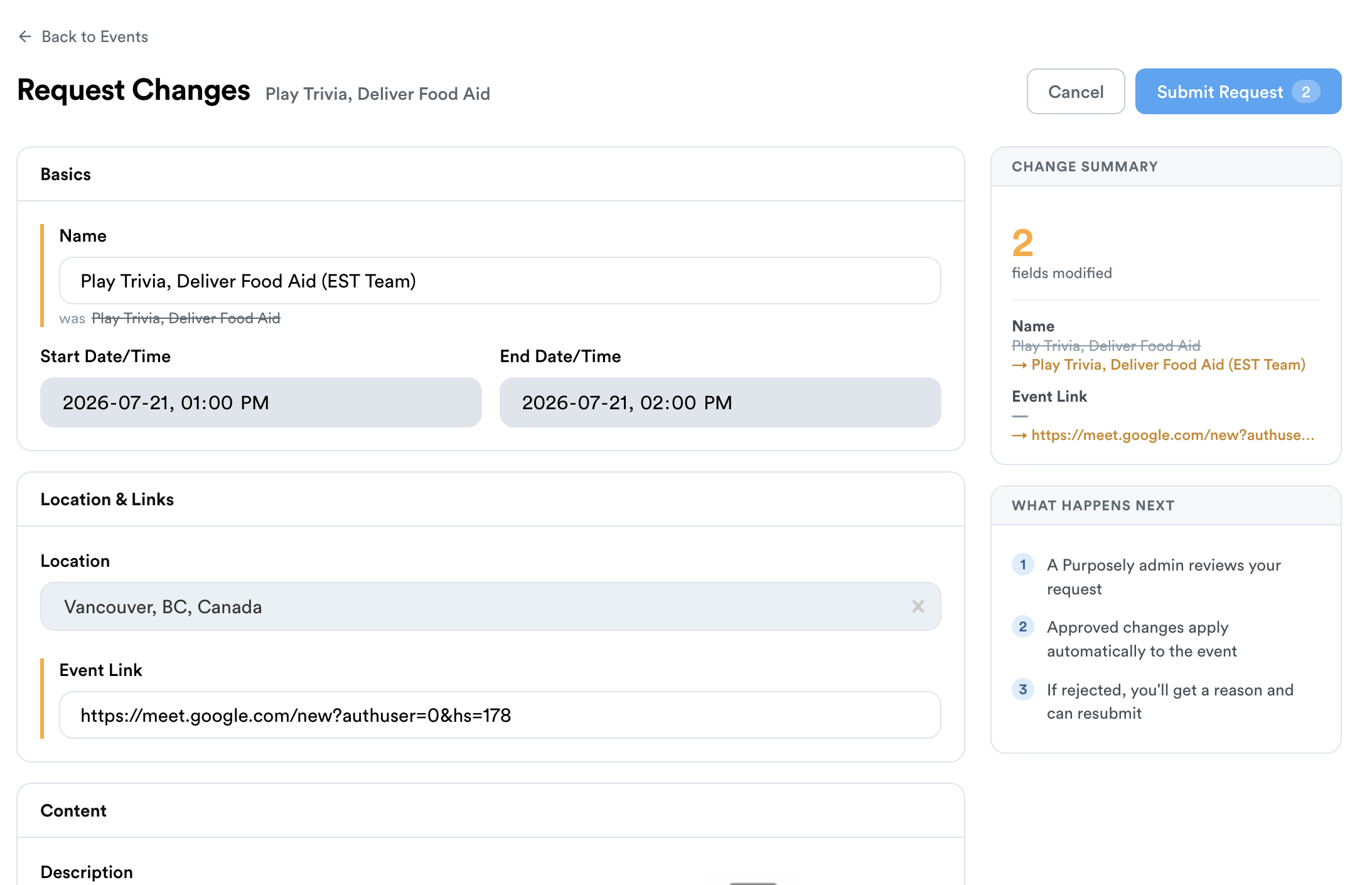
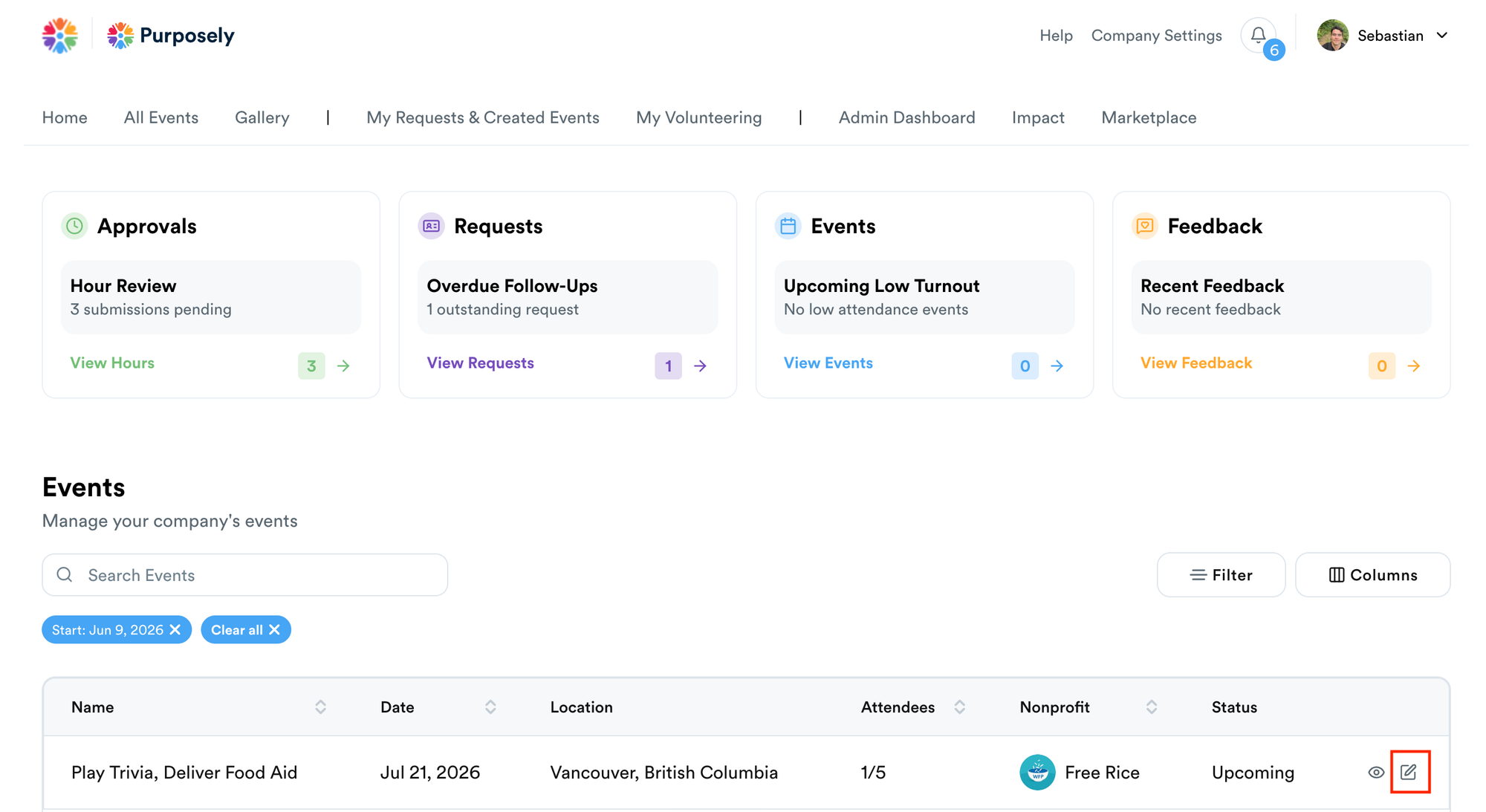
From the Admin Dashboard, any event created by the Purposely team now shows an edit option right in the Events table. Open it up, and you'll have access to submit changes across the fields that matter most:
- Name — update the title of the event
- Event Link — add or swap out a Meet, Zoom, or Teams link for virtual sessions
- Description — refine the short summary that appears on event cards
- Main Text — update the body content of the event page
- Capacity — adjust the number of available spots
- Open Enrolment — toggle whether sign-ups need approval or are open to all
You can also include a note for the Purposely team if there's any context that would help them review your request.
How It Works
Requesting a change is straightforward. Users with Admin permissions can head to the Events table on the Admin Dashboard, find the event you'd like to update, and click the edit option. Make your changes in the editor and submit. From there, a member of the Purposely team will review what you've sent and either approve or flag it for discussion — for example, if a large capacity increase isn't something the nonprofit partner can accommodate.
The process is fast, transparent, and puts you in the driver's seat when something needs to change.
Why It Matters
Running a great corporate volunteering program means staying responsive to your team, to your partners, and to the unexpected. Event Editing gives admins the agency to keep things accurate and up to date without the back-and-forth, so your employees always see the right details before they show up to give back.
Ready to try it? Head to your Admin Dashboard and look for the edit option on any Purposely-created event.
Questions? Reach out to us at hello@purposely.co — we'd love to hear how your team is using it.
